
Python Conditionals Using AI Technology
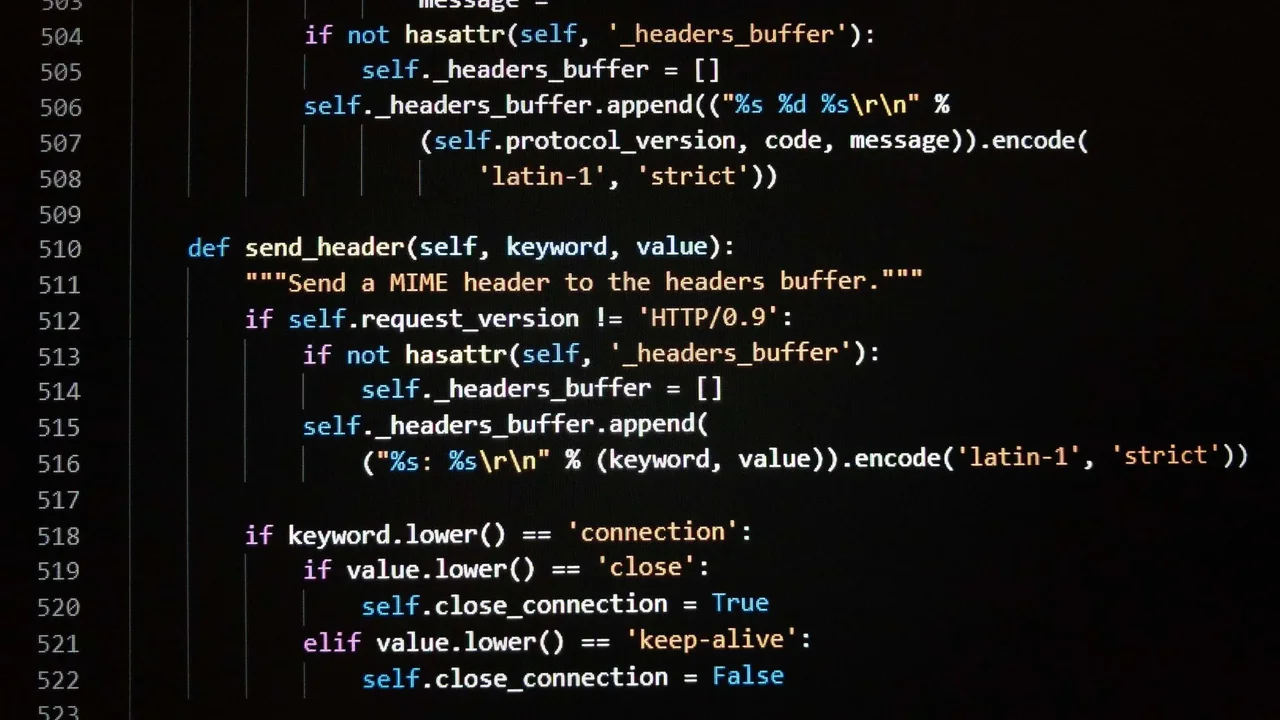 Learning Python a great choice for engineers who want to create complex applications quickly and efficiently.Copyright 2023 Brian Harrod, Michigan State University RET
One way for engineers to be effective in creating designs is to understand technology tools support their efforts. These technology tools themselves are often designed by engineers! In this activity, students utilize Google's Colab and Google's Bard to master writing “if” statements in Python while also analyzing the effectiveness of an AI tool to define future success criteria for engineers developing tools like Bard. Engaging in various activities, students delve into the significance of conditionals, understanding how they enhance code readability and enable more innovative programming approaches. Moreover, students venture into exploring the effectiveness of AI technologies in programming, providing insightful suggestions for refining and engineering future AI tools.
Python is an object-oriented programming language, which means it is modular, reusable, and extensible. Learning Python a great choice for engineers who want to create complex applications quickly and efficiently. Python can also be used in web development, scientific computing, data analysis, machine learning, and artificial intelligence.
After this activity, students should be able to:
- Identify current generative AI tools to help with programming and determine efficacy of these tools.
- Use if statements in their code.
- Analyze and debug code that uses if statements.
- Solve coding problems that involve if statements.
- Write prompts in Bard to get working code segments that utilize if statements.
- Generate success criteria to engineering future generative AI tools.
- HS-ETS1-2 Design a solution to a complex real-world problem by breaking it down into smaller, more manageable problems that can be solved through engineering.
Grades 9-12
This resource focuses on the following Three Dimensional Learning aspects of NGSS:
Science & Engineering Practices- Design a solution to a complex real-world problem, based on scientific knowledge, student-generated sources of evidence, prioritized criteria, and tradeoff considerations.Do you agree with this alignment?
Disciplinary Core Ideas- Criteria may need to be broken down into simpler ones that can be approached systematically, and decisions about the priority of certain criteria over others (trade-offs) may be needed.Do you agree with this alignment?
Do you agree with this alignment? - Design a solution to a complex real-world problem, based on scientific knowledge, student-generated sources of evidence, prioritized criteria, and tradeoff considerations.
- HS-ETS1-4 Use a computer simulation to model the impact of proposed solutions to a complex real-world problem with numerous criteria and constraints on interactions within and between systems relevant to the problem.
Grades 9-12
This resource focuses on the following Three Dimensional Learning aspects of NGSS:
Science & Engineering Practices- Use mathematical models and/or computer simulations to predict the effects of a design solution on systems and/or the interactions between systems.Do you agree with this alignment?
Disciplinary Core Ideas- Both physical models and computers can be used in various ways to aid in the engineering design process. Computers are useful for a variety of purposes, such as running simulations to test different ways of solving a problem or to see which one is most efficient or economical; and in making a persuasive presentation to a client about how a given design will meet his or her needs.Do you agree with this alignment?
Crosscutting Concepts- Models (e.g., physical, mathematical, computer models) can be used to simulate systems and interactions—including energy, matter, and information flows—within and between systems at different scales.Do you agree with this alignment?
Do you agree with this alignment? - Use mathematical models and/or computer simulations to predict the effects of a design solution on systems and/or the interactions between systems.
Each student needs:
- laptop or desktop computer
- Google Account
- access to Google Colaboratory (free)
- access to Google’s Bard (free)
- uploadable code base: Python Conditionals (ipynb) (IPYNB)
Prior to this activity, students should have the following prerequisite skills:
- An understanding of Python variables.
- An understanding of Python Boolean expressions.
- An understanding of how to receive user input and store it in a variable.
- An understanding of how the print function works.
- A basic understanding of how to use Google’s Colaboratory environment.
Today we are going to focus on understanding the construction and application of "if" statements in Python. With AI technology, specifically Bard, you will gain a comprehensive understanding of the inner workings of "if" statements and their significance in writing efficient, readable, and creative code. Additionally, you will critically analyze the efficacy of this technology in code writing, a crucial aspect for engineers utilizing AI tools in their work.
Why do we use Bard to assist? [Let students offer answers. Potential answers include:]
- Bard is a large language model, which means that it has been trained on a massive dataset of text and code. This means that Bard has a deep understanding of the Python language, and it can help students learn if statements in a way that is both comprehensive and informative.
- Bard is interactive, which means that students can ask it questions and get real-time feedback. Getting immediate feedback is something that is difficult to accomplish without the use of an AI tool.
- Bard allows students to ask questions if they do not understand the topic, no matter how basic.
Why do we use Google Colaboratory? [Let students offer answers. (Potential answers include:]
Learning Python a great choice for engineers who want to create complex applications quickly and efficiently.Copyright 2023 Brian Harrod, Michigan State University RET
It is free for students and teachers
- It is easy to get started and the learning curve is minimal.
- Students and teachers do not need to install anything on their devices.
- It runs Python code.
- Notebooks can be shared with others. This could be student to student or teacher to student.
How does this relate to STEM, and specifically engineering design? [Let students offer answers. Potential answers include:]
- Engineers often rely on datasets to help create designs.
- AI tools provide virtually instant feedback, which helps create efficiency with problem-solving.
- Code writing is a key skill that many engineers should learn, or at least develop a foundational level of understanding.
Today we are going to use Python, Bard and Google Colab. Let’s get started!
Background
“If” statements are crucial constructs in programming due to their significant benefits. They aid in writing more efficient code by allowing you to avoid unnecessary operations. For instance, when printing even numbers from a list, if statements help verify each number's evenness before displaying it, thus optimizing the code and excluding odd numbers.
Additionally, if statements contribute to writing more readable code by breaking it down into smaller, manageable segments. This simplification enhances code understanding and is a vital aspect of the engineering process.
Moreover, if statements foster creativity in code writing, enabling the creation of complex and engaging programs. For example, they facilitate the development of interactive programs like a rock-paper-scissors game, adding a layer of creativity to the programming process.
The problems that can be solved by using AI tools to teach conditionals are:
- Students can receive individualized instruction as they work at their own pace.
- Students receive differentiated instruction as they provide different prompts in Bard.
- Students can ask questions and get immediate answers.
- Students who are more advanced can move at a faster pace and challenge themselves through additional activities.
- By not having to stop class for each individual question or coding error, teachers can move at a faster pace by facilitating the lesson and asking the entire class questions at the end of the class period.
- Teachers can be more creative in their lessons by allowing students to write code that interest them.
- Teachers can challenge the more advanced students. For example, when teaching if statements, a student could create a graphical user interface solution to guess a secret password.
Before the Activity
- Make sure each student has access to a laptop or desktop computer.
- Make sure each student has a Google Account.
- Make sure each student has access to Google Colaboratory (free) and Google’s Bard (free).
With the Students
- Using paper/pen have students answer the following questions:
- What do you think an if statement in programming allows us to do?
- Why do you think they are important?
- Think of a way in which you use if statements in your daily life. Describe what that looks like.
- What makes a generative AI tool “good”? Why?
- As computer scientists engineer new tools to assist in programming, what do you think the role of these tools should be? Should we rely only on generative AI tools, or should we come up with our own code?
- Facilitate a discussion based on the students answers from above.
- Provide a link to the Google Colaboratory document that will guide them through the activity.
- Python Conditionals: https://colab.research.google.com/drive/1DJYADEDVTGv9m3fxnISHNMunTNlC9nD1?usp=sharing
- or the uploadable code base: Python Conditionals (ipynb) (IPYNB)
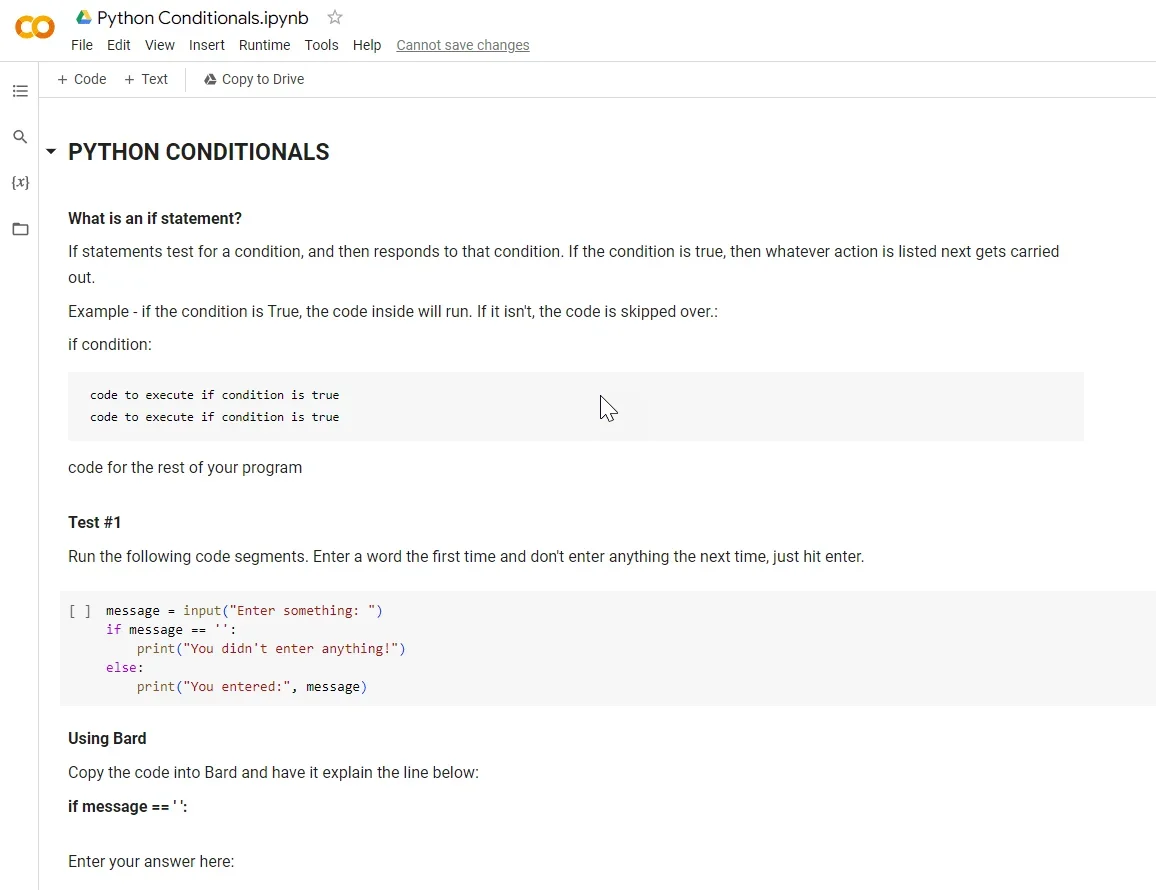 Google Colaboratory Notebooks allow students to take notes and compile code within the same documentCopyright 2023 Brian Harrod, Michigan State University RET
- Walk and talk through the first two sections (What is an if statement and Test #1) with students.
- Have students execute the code in Test #1.
- In the first trial, the students enter “Hello”.
- In the second trial have students enter nothing (just hit the enter key).
- Have students compare code snippets with a classmate.
- With the entire class, walk through each line of code explaining what it does. Have students take notes in Colaboratory.
- Have students work at their own pace to complete the remainder of the activities.
- Hand-out the Python Conditionals Post-Assessment (PDF) and have students answer the questions.
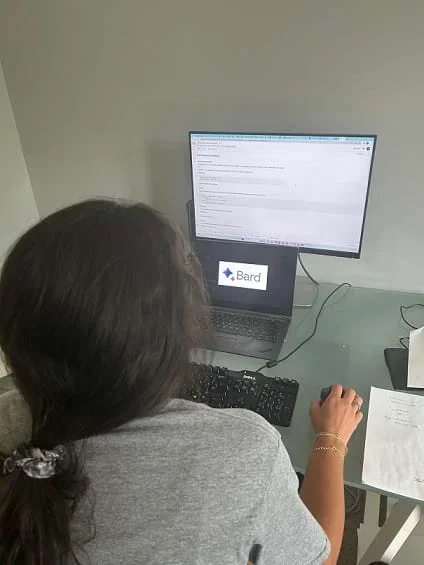 The student is learning about if statements by working through a Colaboratory Notebook.Copyright 2023 Brian Harrod, Michigan State University RET
- boolean
- A value that can be either True or False.
- condition
- An expression that evaluates to a Boolean value, such as True or False.
- elif statement
- A control flow statement that executes a block of code if a condition is met, but only if the condition in the if statement is not met.
- else statement
- A control flow statements that executes a block of code if a condition is not met.
- if statement
- A control flow statement that executes a block of code if a condition is met.
Pre-Activity Assessment
Questions: Ask students to provide hand-written responses to these questions:
- What do you think an if statement in programming allows us to do?
- Why do you think they are important?
- Think of a way in which you use if statements in your daily life. Describe what that looks like.
Discussion: Have a class discussion regarding the questions to gain a sense of where students are at in their understanding of the topic.
Activity Embedded (Formative) Assessment
Worksheet: Have students work individually on Python Conditionals; https://colab.research.google.com/drive/1DJYADEDVTGv9m3fxnISHNMunTNlC9nD1?usp=sharing. They will need to make a copy of the notebook. After they finish, have them compare code snippets with a classmate.
Hypothesize: What would happen if we had more than two possible outcomes for an if statement? (Answer: we would need to design a control structure that incorporates an elif statement)
Post-Activity (Summative) Assessment
Debugging Code: Hand-out the Python Conditionals Post-Assessment (PDF). Answers can be found using the Python Conditionals Post-Assessment Answer Key (PDF).
Contributors
Brian Harrod; Arun Ross; Ryan Ashbaugh; Redwan Sony
Supporting Program
Michigan State University College of Engineering NSF RET program
Acknowledgements
This curriculum was developed through the Michigan State University College of Engineering NSF RET program under grant number CNS-1854985 under National Science Foundation. However, these contents do not necessarily represent the policies of the NSF, and you should not assume endorsement by the federal government.
Copyright
2023 by Regents of the University of Colorado; original © 2023 Michigan State University