
MBots on the Coordinate Plane
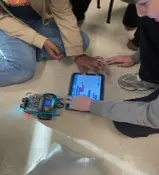 Students program an mBotCopyright Original photo from project team
Students explore the coordinate plane through hands-on learning with mBots. Working in small groups, they review key coordinate-plane vocabulary and label the x-axis, y-axis, origin, and quadrants. Students then manually drive or program their mBots to move along the axes and navigate to specific ordered pairs in all four quadrants, reinforcing the relationship between horizontal and vertical movement and positive and negative coordinates. They extend their understanding by navigating to reflections of coordinates across the x- and y-axes and identifying patterns in how coordinates change.
Engineers design, build, program, and test robotic systems that use coordinate systems and other spatial information to determine position and navigate through an environment. Precise measurements, directions, and movement commands enable robots to travel to specific locations and perform designated tasks. Similar concepts are used in warehouse and manufacturing robots, autonomous vehicles navigating between locations, NASA rovers exploring the surface of Mars, and robotic systems assisting with surgical procedures. Understanding coordinates, positive and negative directions, spatial relationships, and transformations provide a mathematical foundation for designing and controlling robotic systems. The mBot provides a simplified model of this engineering application as it is controlled or programmed to navigate to specified locations on a coordinate plane.
After this activity, students should be able to:
- Accurately label and describe the parts of a coordinate plane, including the x-axis, y-axis, origin, quadrants, and ordered pairs.
- Graph, interpret, and navigate to ordered pairs in all four quadrants using positive and negative integers.
- Determine and apply reflection rules across the x-axis and y-axis to identify and locate image coordinates.
- 6.NS.C.11 Find the position of pairs of integers and other rational numbers on the coordinate plane.
Grade 6
Do you agree with this alignment? - 7.GM.A Construct and describe geometric figures, analyzing relationships among them.
Grade 7
Do you agree with this alignment?
- CCSS.Math.Content.6.NS.C.6b Understand signs of numbers in ordered pairs as indicating locations in quadrants of the coordinate plane; recognize that when two ordered pairs differ only by signs, the locations of the points are related by reflections across one or both axes.
Grade 6
Do you agree with this alignment? - CCSS.Math.Content.6.NS.C.6c Find and position integers and other rational numbers on a horizontal or vertical number line diagram; find and position pairs of integers and other rational numbers on a coordinate plane.
Grade 6
Do you agree with this alignment? - CCSS.Math.Content.6.NS.C.8 Solve real-world and mathematical problems by graphing points in all four quadrants of the coordinate plane. Include use of coordinates and absolute value to find distances between points with the same first coordinate or the same second coordinate.
Grade 6
Do you agree with this alignment? - CCSS.Math.Content.8.G.A.3 Describe the effect of dilations, translations, rotations, and reflections on two-dimensional figures using coordinates.
Grade 8
Do you agree with this alignment?
- MS-ETS1-2 Evaluate competing design solutions using a systematic process to determine how well they meet the criteria and constraints of the problem.
Grades 6-8
This resource focuses on the following Three Dimensional Learning aspects of NGSS:
Science & Engineering Practices- Evaluate competing design solutions based on jointly developed and agreed-upon design criteria.Do you agree with this alignment?
Disciplinary Core Ideas- There are systematic processes for evaluating solutions with respect to how well they meet the criteria and constraints of a problem.Do you agree with this alignment?
Do you agree with this alignment? - Evaluate competing design solutions based on jointly developed and agreed-upon design criteria.
- MS-ETS1-3 Analyze data from tests to determine similarities and differences among several design solutions to identify the best characteristics of each that can be combined into a new solution to better meet the criteria for success.
Grades 6-8
This resource focuses on the following Three Dimensional Learning aspects of NGSS:
Science & Engineering Practices- Analyze and interpret data to determine similarities and differences in findings.Do you agree with this alignment?
Disciplinary Core Ideas- There are systematic processes for evaluating solutions with respect to how well they meet the criteria and constraints of a problem.Do you agree with this alignment?
- Sometimes parts of different solutions can be combined to create a solution that is better than any of its predecessors.Do you agree with this alignment?
- Although one design may not perform the best across all tests, identifying the characteristics of the design that performed the best in each test can provide useful information for the redesign process—that is, some of the characteristics may be incorporated into the new design.Do you agree with this alignment?
Do you agree with this alignment? - Analyze and interpret data to determine similarities and differences in findings.
Each group needs:
- 1 mBot2 robot kit (includes mBot2 robot base, sensors, wheels)
- Makeblock mBot2: https://www.makeblock.com/pages/mBot2-coding-robot
- mBot2 Overview: https://youtu.be/uxpoP175mOU?si=G4O316qSIs1wXV1e
- mBot2 Support: https://support.makeblock.com/hc/en-us/sections/1500001036301-mBot-Neo-mBot2
- 1 laminated coordinate plane mat (used by students for coordinate plane activities, e.g. identifying x-axis, y-axis, ordered pairs, etc.)
- Size approx. 60 cm × 90 cm (~24″ × 36″)
- Instructions for printing and sample coordinate plane image provided in Coordinate Plane Printing Sheet (PDF)
- 1 set of dry-erase (Expo) markers
- 4 colors per group (to label axes, plot points, draw routes)
- 1 dry-erase eraser or cloth
- 1 tablet or Chromebook
- Used to wirelessly control the mBot2 (using Bluetooth)
- Software: https://www.makeblock.com/pages/software
- Instructions to set up and use the mBot2 software are provided in the mBot Setup Sheet (PDF)
- 1 pencil and 1 Activity Exploration Sheet (PDF)
For the Whole Class or Teacher Station:
- 1 large coordinate plane poster (for front display)
- Used for teacher demonstrations and coordinate plane review (e.g. identifying x-axis, y-axis, ordered pairs, etc.)
- Size approx. 60 cm × 90 cm (~24″ × 36″)
- Instructions for printing and sample coordinate plane image provided in Coordinate Plane Printing Sheet (PDF)
- 1 teacher computer or tablet
- For demos and accessing mBot programming app
- 1 mBot programming app or software
- Software: https://www.makeblock.com/pages/software
- Instructions to set up and use the mBot2 software are provided in the mBot Setup Sheet (PDF)
- (optional) 1 set of reflective tape or colored dot stickers (to mark starting points, axes, or reflection points)
- Coordinate Plane Printing Sheet Suggestions (docx)
- Coordinate Plane Printing Sheet Suggestions (pdf)
- Coordinate Plane Printing Sheet (docx)
- Coordinate Plane Printing Sheet (pdf)
- mBot Setup Sheet (pdf)
- mBot Warmup Activity (docx)
- mBot Warmup Activity (pdf)
- mBot Warmup Activity Answer Key (docx)
- mBot Warmup Activity Answer Key (pdf)
- Activity Exploration Sheet (docx)
- Activity Exploration Sheet (pdf)
- Activity Exploration Sheet Answer Key (docx)
- Activity Exploration Sheet Answer Key (pdf)
- Reflection Exit Ticket (docx)
- Reflection Exit Ticket (pdf)
- Reflection Exit Ticket Answer Key (docx)
- Reflection Exit Ticket Answer Key (pdf)
- Teacher Script (docx)
- Teacher Script (pdf)
Students should have:
- An understanding of positive and negative integers.
- The ability to read and write ordered pairs in the form (x, y).
- A basic understanding of horizontal and vertical movements.
- Familiarity with identifying the x-axis, y-axis, and origin on a coordinate plane.
- Experience counting units on a grid accurately and consistently.
- Introductory familiarity with using a Chromebook or tablet.
Today, you are not just math students… you are robotics engineers! Robotics engineers control and program robots to move to exact locations in warehouses, hospitals, and even on Mars. If a robot is off by just a few centimeters, it can crash, damage equipment, or miss its target. Precision matters.
(Point to the coordinate plane.) Engineers don’t just guess where things are. They use coordinate systems just like this one. Who has ever used GPS on a phone? (Allow hands.)
What happens if the GPS location is slightly wrong? (Possible answers: You get lost, wrong address, wrong house, wrong turn.) Exactly. Coordinates guide movement in the real world.
(Walk to the origin and stand on it.) This point is (0,0). Engineers call this the origin. It’s the starting reference point. If I tell a robot to move to (4,3), what information am I giving it? (Possible answers: Go right 4, up 3; x first, then y.)
Today your challenge is to program and drive an mBot to precise coordinates — and later, to its reflection. That means you’ll need to think like engineers and test, adjust, and improve.
(Write on board: Precision. Direction. Coordinates. Reflection.) Before we begin, I want you to think about this: Where else in real life do we use grids or coordinates? (Possible answers: video games, maps, city blocks, football plays, Minecraft, architecture plans.)
When have you experienced something that required exact positioning? (Give students 30 seconds to talk with their shoulder partner. Circulate and listen. Call on 2–3 students to share.)
As engineers, your job today is to solve a design problem: How do we move a robot accurately in a mapped space? What questions do we need to investigate before we start? (Possible student questions: Does order matter? What happens if we mix up x and y? How do negative numbers change movement? What if the robot overshoots?)
Excellent questions. Keep those in mind. Engineers don’t just follow directions — they ask why, test ideas, and refine their thinking.
Let’s begin at the origin.
Background
The Coordinate Plane
The coordinate plane consists of a horizontal x-axis and a vertical y-axis that intersect at the origin (0, 0). The axes divide the coordinate plane into four regions called quadrants, numbered I through IV. Ordered pairs are written in the form (x, y). The x-coordinate indicates horizontal position, with negative values to the left of the origin and positive values to the right. The y-coordinate indicates vertical position, with negative values below the origin and positive values above the origin. When plotting an ordered pair, the x-coordinate is addressed first, followed by the y-coordinate.
Movement on the Coordinate Plane
Horizontal movement on the coordinate plane changes the x-coordinate while the y-coordinate remains the same. Vertical movement changes the y-coordinate while the x-coordinate remains the same. A point located on the x-axis always has a y-coordinate of 0, while a point located on the y-axis always has an x-coordinate of 0.
Reflections
A reflection is a geometric transformation that produces a mirror image of a point or figure across a specified line. When a point is reflected across the x-axis, the x-coordinate remains the same and the y-coordinate changes sign. For example, (3, 4) becomes (3, -4). When a point is reflected across the y-axis, the y-coordinate remains the same and the x-coordinate changes sign. For example, (3, 4) becomes (-3, 4).
Coordinate Systems and Robotics
Coordinate systems can be used in robotics to describe position and movement in physical space. Robotic movement relies on precise instructions, measurements, direction, and spatial relationships. Errors in direction, distance, sign, or sequence can result in a robot reaching a different location than intended. Testing movement, observing the resulting position, identifying sources of error, and adjusting instructions are examples of the iterative troubleshooting processes used in robotics and engineering.
mBot Setup and Control
The mBot can be controlled manually or through programmed commands, depending on the configuration used for the activity. The mBot Setup Sheet (PDF) provides information about setting up and controlling the mBot.
Before the Activity
- Gather materials for each group: charged mBot, tablet/Chromebook with mBlock installed, laminated coordinate plane (≈ 60 cm × 60 cm), dry-erase markers, eraser, pencils, and directions sheet.
- Print copies of the Activity Exploration Sheet (PDF) (1 per student), the Coordinate Plane Printing Sheet (PDF) (1 per student), the Reflection Exit Ticket (PDF) (1 per student), and the mBot Warmup Activity (PDF) (1 per group).
- Fully charge and test all mBots and device connections (Bluetooth) before class.
- Calibrate robots to ensure they drive straight and measure approximately 5 cm per grid unit. If not moving in a straight line, inspect the robot wheels and align by adjusting the tires or screwing them more tightly to the chassis.
- Prepare a large demonstration coordinate plane for modeling (see Coordinate Plane Printing Sheet (PDF) Suggestions for instructions regarding the preparation of this coordinate plane).
- Review coordinate plane vocabulary and reflection rules.
- Arrange classroom space to allow at least 1 m × 1 m (~3 ft. × 3 ft.) per group for safe movement.
During the Activity
Part 1: Introduction & Concept Review (10 minutes)
- Divide the class into groups of three or four students.
- Distribute materials to each group (e.g., mBot, device, coordinate mat, markers, mBot Warmup Activity (PDF)).
- Ask students to complete the mBot Warmup Activity (PDF) as their first task.
- Collect warmup activity sheets when complete.
- Give one Activity Exploration Sheet (PDF) and one Coordinate Plane Printing Sheet (PDF) to each student.
- Direct students to label the coordinate plane sheet with the x-axis, y-axis, origin, Quadrants I–IV, and positive/negative directions.
- Have students then write down the definitions of each in Part 1: Vocabulary and Labeling of their Activity Exploration Sheet (PDF).
- Review ordered pair format (x, y).
- Write the ordered pair (3, -2) on the board.
- Ask: “Which direction do we move first?” (Possible answer: x first, then y.)
- Model how horizontal movement affects only the x-coordinate and vertical movement affects only the y-coordinate. (See Teacher Script (PDF) for one way to introduce these concepts.)
Part 2: Axis Navigation (10 minutes)
- Give one laminated coordinate plane mat to each group.
- Instruct groups to place their mBot at the origin (0,0).
- Have students drive the mBot along the positive x-axis, then return to the origin. (Note: Details on how to set up the mBot for manual control or programmed control are in the mBot Setup Sheet (PDF).)
- Optional: If students are unfamiliar with the mBots, give them a few minutes to become comfortable with them and to get practice controlling in their groups.
- Repeat along the positive and negative y-axis and along the positive and negative x-axis.
- Instruct students to complete Part 2: Exploring Movement of their Activity Exploration Sheet (PDF).
- Ask guiding questions: “What value stays the same when moving along the x-axis?” (Possible answer: y = 0.)
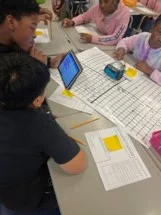 How can you move the robot forward? Backward? Turn left? Turn right?Copyright Original photo from project team
Part 3: Ordered Pair Challenge (15 minutes)
- Provide a list of ordered pairs (e.g., (4,3), (-2,5), (-3,-4)).
- On the group’s coordinate plane, have students plot each point with a marker before moving the robot.
- Give students time to program or manually drive the mBot to each coordinate. (Note: Details on how to set up the mBot for manual control or programmed control are in the mBot Setup Sheet (PDF).)
- Encourage students to each take a turn controlling the driving of the mBot to a coordinate.
- Have students complete Part 3 of their Activity Exploration Sheet (PDF).
- Circulate and check students' plotted coordinates and mBot movements. If students get incorrect answers, instruct groups to troubleshoot and adjust movement distances.
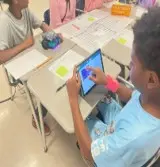 How can you move the robot from (5,4) to (-3, -3)?Copyright Original photo from project team
Part 4: Reflection and Challenge (10 minutes)
23. Provide an original coordinate (e.g., (3,2)).
- Instruct students to determine its reflection over the x-axis and drive to that location. (Answer: (3,-2))
- Instruct students to repeat with reflection over the y-axis (-3, 2).
- Have students complete Part 4: Reflections of their Activity Exploration Sheet (PDF).
- Discuss patterns in how coordinates change. Samples of patterns of change for going over the x-axis and y-axis are below:
- Over the x-axis: The y-coordinate changes sign, but the x-coordinate stays the same.
Example: (3, 2) → (3, -2) - Over the y-axis: The x-coordinate changes sign, but the y-coordinate stays the same.
Example: (3, 2) → (-3, 2)
- Over the x-axis: The y-coordinate changes sign, but the x-coordinate stays the same.
- Have students complete the first part of Part 5: Challenge of their Activity Exploration Sheet (PDF).
Can you program the mBot to move automatically from Quadrant I to Quadrant IV?Copyright Original photo from project teamPart 5: Exit Reflection (5 minutes) worksheet.
- Have students complete the second part of Part 5: Reflection of their Activity Exploration Sheet (PDF).
- Distribute one Reflection Exit Ticket (PDF) to each student.
- Have students complete the Reflection Exit Ticket (PDF) explaining reflection rules and quadrant identification.
- Facilitate a brief whole-class discussion to summarize key learning.
- coordinate plane
- A two-dimensional grid used to locate points, formed by a horizontal axis and a vertical axis intersecting at a perpendicular spot.
- x-axis
- The horizontal (left-to-right) number line on a coordinate plane or graph.
- y-axis
- The vertical (up-and-down) number line on a coordinate plane or graph.
- origin
- The starting point, represented by the coordinate (0, 0) on a 2D coordinate plane. It is the specific point where the horizontal x-axis and vertical y-axis intersect or cross, serving as the "home base" or central reference point for measuring distances and plotting points.
- ordered pairs
- A set of two numbers, written as (x, y) in parentheses, used to locate a point on a coordinate plane. The first number (x) represents horizontal movement (left/right), and the second number (y) represents vertical movement (up/down).
- integers
- The set of whole numbers, their opposite negative counterparts, and zero. Does not include fractions or decimals.
- robot
- A machine that can sense its environment, think (process information), and act on its own or through commands to perform tasks automatically.
- programming
- The process of giving a computer a set of step-by-step instructions, called code, to tell it exactly what to do. Think of it as writing a recipe that the computer follows to solve a problem, create a game, make an app function, or make a robot complete a specific task.
Pre-Activity Assessment
Warmup Activity: Before beginning the activity, have students complete the three-question mBot Warmup Activity (PDF) to assess their prior knowledge of ordered pairs, coordinate axes, and quadrants. Questions include plotting the point (-3, 4) and identifying its quadrant (Quadrant II), explaining what the x-coordinate represents (horizontal position; left or right), and identifying the x-coordinate of a point located on the y-axis (0). Review responses to identify misconceptions, such as reversing the x- and y-coordinates, before proceeding with the activity.
Activity Embedded (Formative) Assessment
Activity Exploration Sheet: As students complete the mBot navigation challenges, have them complete the Activity Exploration Sheet (PDF) to demonstrate their understanding of coordinate-plane vocabulary, movement along the axes, ordered pairs, and reflections.
Work Questions: Circulate among groups and observe whether students correctly label the coordinate plane, accurately plot coordinates before moving the mBot, navigate along the correct axes and directions, and correctly apply reflection rules. Ask questions such as, “Why did you move horizontally first?” (Possible answer: Because the x-coordinate comes first in an ordered pair.) and “What changes when reflecting a point over the x-axis?” (Possible answer: The y-coordinate changes sign while the x-coordinate remains the same.) Use student responses and observations to identify misconceptions and provide feedback as students troubleshoot and revise their mBot movements.
Post-Activity (Summative) Assessment
Reflection Exit Ticket: At the conclusion of the activity, have students independently complete the Reflection Exit Ticket (PDF) to demonstrate their understanding of quadrants, ordered pairs, and reflections. Questions include identifying the quadrant containing (-4, -2) (Quadrant III), reflecting (5, -3) over the y-axis (-5, -3), and explaining why the order of coordinates matters in an ordered pair (Possible answer: Reversing the coordinates changes the location of the point). Collect and review the exit tickets to assess student understanding and identify concepts that may require additional instruction or review.
- Clear at least 1 m × 1 m (~3 ft × 3 ft) space per group.
- Secure cords to prevent tripping.
- Keep liquids away from devices.
- Do not allow students to pick up moving robots.
- Place robots on the ground, not desks, so that unexpected movements do not result in mBots falling off desks.
- Robot does not drive straight or overshoots.
Solution: Calibrate before class (e.g., inspect wheels, align tires, screw motors securely to chassis) and lower the speed of the robot for more precise control. - Bluetooth/connectivity issues.
Solution: Test devices beforehand. Ensure tablet and mBot are fully charged. Reboot mBot (by toggling power switch off and rthen on) to put device into pairing mode. If mBot is turned on for a few minutes before pairing is attempted, it can often fail (but is fixed by restarting the mBot).
For Lower Grades (5th–early 6th)
- Limit work to Quadrant I only (positive numbers only).
- Provide a pre-labeled coordinate plane.
- Use whole numbers within ±5 to reduce cognitive load.
- Focus only on plotting and axis movement (omit reflections initially).
- Allow students to physically walk the grid before programming the robot.
- Provide step-by-step driving cards (e.g., “Move right 3, move up 2”).
Dictionary.com. Lexico Publishing Group, LLC. Accessed April 30, 2026. (Source of some vocabulary definitions, with some adaptation) http://www.dictionary.com.
mBot2. Makeblock. Accessed April 30, 2026. (Source of details about mBot2 with some adaptation) https://www.makeblock.com/pages/mBot2-coding-robot.
Contributors
Ms. LaTerria Matthews (Westlawn Middle School, Tuscaloosa, AL); Dr. Todd Freeborn (The University of Alabama, Department of Electrical and Computer Engineering, Tuscaloosa, AL).
Supporting Program
Research Experience for Teachers (RET), Engaging and Training Alabama STEM Teachers in Sensing Technologies, The University of Alabama
Acknowledgements
The curriculum was developed under the National Science Foundation RET grant number EEC-2302144. Any opinions, findings, and conclusions or recommendations express in this material are those of the authors and do not necessarily reflect the views of the National Science Foundation.
Copyright
2026 by Regents of the University of Colorado; original © 2025 University of Alabama