
How Do You Make Loops and Switches?
Legacy Curriculum
Hey there! This curriculum is no longer being curated or supported. It may contain materials that are no longer available or outdated information. Please use this document for reference.
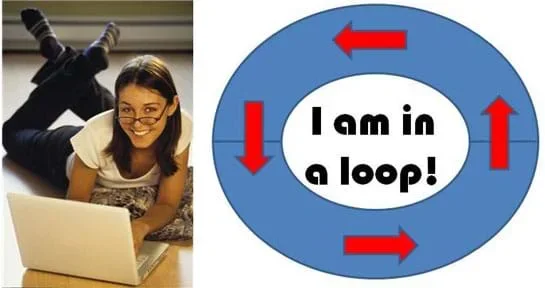 Students learn how to program using loops and switchesCopyright (left) 2004 Microsoft Corporation, One Microsoft Way, Redmond, WA 98052-6399 USA. All rights reserved; (right) 2013 GK-12 Program, Computational Neurobiology Center, College of Engineering, University of Missouri http://office.microsoft.com/en-us/images/results.aspx?qu=laptop&ex=1#ai:MP900442369|
Students learn how to program using loops and switches. They see how loops enable us to easily and efficiently tell a computer to keep repeating an operation. They also see that switches permit programs to follow different instructions based on whether or not preconditions are fulfilled. Using the LEGO® MINDSTORMS® robots, sensors and software, student pairs perform three mini programming activities using loops and switches individually, and then combined. With practice, they incorporate these tools into their programming skill sets in preparation for the associated activity. A PowerPoint® presentation, pre/post quizzes and worksheet are provided.
Loops and switches are important programming components in any language. Loops are important because nearly every computer program must iterate operations many times in order to complete tasks. Indeed, performing tedious operations repeatedly was one of the foremost motivations for the invention of the computer. Switches are almost equally important; they enable programs to accommodate a variety of situations. Further, switches in the LEGO MINDSTORMS NXT programming environment are used similarly to "if/else...then" statements, which are used in other more common programming languages.
After this lesson, students should be able to:
- Explain what loops and switches are and identify programming situations in which loops and switches should be utilized.
- Write programs that incorporate loops and switches.
- CCSS.Math.Practice.MP1 Make sense of problems and persevere in solving them.
Grades K-12
Do you agree with this alignment?
- Test and evaluate the solutions for the design problem.
Grades 3-5
Do you agree with this alignment? - STEL-1J Develop innovative products and systems that solve problems and extend capabilities based on individual or collective needs and wants.
Grades 6-8
Do you agree with this alignment? - STEL-4G Judge technologies to determine the best one to use to complete a given task or meet a need.
Grades 3-5
Do you agree with this alignment? - STEL-7I Apply the technology and engineering design process.
Grades 3-5
Do you agree with this alignment? - STEL-7R Refine design solutions to address criteria and constraints.
Grades 6-8
Do you agree with this alignment?
- CCSS.Math.Practice.MP1 Make sense of problems and persevere in solving them.
Grades K-12
Do you agree with this alignment?
- Describe how new technologies have helped scientists make better observations and measurements for investigations (e.g., telescopes, electronic balances, electronic microscopes, x-ray technology, computers, ultrasounds, computer probes such as thermometers)
Grade 5
Do you agree with this alignment?
- 3-5-ETS1-2 Generate and compare multiple possible solutions to a problem based on how well each is likely to meet the criteria and constraints of the problem.
Grades 3-5
This resource focuses on the following Three Dimensional Learning aspects of NGSS:
Science & Engineering Practices- Generate and compare multiple solutions to a problem based on how well they meet the criteria and constraints of the design problem.Do you agree with this alignment?
Disciplinary Core Ideas- Research on a problem should be carried out before beginning to design a solution. Testing a solution involves investigating how well it performs under a range of likely conditions.Do you agree with this alignment?
- At whatever stage, communicating with peers about proposed solutions is an important part of the design process, and shared ideas can lead to improved designs.Do you agree with this alignment?
Crosscutting Concepts- Engineers improve existing technologies or develop new ones to increase their benefits, to decrease known risks, and to meet societal demands.Do you agree with this alignment?
Do you agree with this alignment? - Generate and compare multiple solutions to a problem based on how well they meet the criteria and constraints of the design problem.
- MS-ETS1-3 Analyze data from tests to determine similarities and differences among several design solutions to identify the best characteristics of each that can be combined into a new solution to better meet the criteria for success.
Grades 6-8
This resource focuses on the following Three Dimensional Learning aspects of NGSS:
Science & Engineering Practices- Analyze and interpret data to determine similarities and differences in findings.Do you agree with this alignment?
Disciplinary Core Ideas- There are systematic processes for evaluating solutions with respect to how well they meet the criteria and constraints of a problem.Do you agree with this alignment?
- Sometimes parts of different solutions can be combined to create a solution that is better than any of its predecessors.Do you agree with this alignment?
- Although one design may not perform the best across all tests, identifying the characteristics of the design that performed the best in each test can provide useful information for the redesign process—that is, some of the characteristics may be incorporated into the new design.Do you agree with this alignment?
Do you agree with this alignment? - Analyze and interpret data to determine similarities and differences in findings.
- Loops and Switches Presentation (student reference handout; pptx) (NXT version)
- Loops and Switches Presentation (student reference handout; pdf) (NXT version)
- Loops and Switches Pre/Post Quiz (docx)
- Loops and Switches Pre/Post Quiz (pdf)
- Loops and Switches Pre/Post Quiz Answer Key (docx)
- Loops and Switches Pre/Post Quiz Answer Key (pdf)
- Loops and Switches Worksheet (docx)
- Loops and Switches Worksheet (pdf)
- Loops and Switches Worksheet Answer Key (docx)
- Loops and Switches Worksheet Answer Key (pdf)
Ability to write and download simple LEGO MINDSTORMS NXT programs.
The third lesson in this unit provides an introduction to programming with loops and switches as well as a detailed walkthrough for using these programming tools in the LEGO MINDSTORMS NXT software. Present the lesson using the content provided in the slide presentation, as described below.
During the lesson, each group needs the following materials:
- LEGO MINDSTORMS NXT robot, such as the NXT Base Set (5003402) for $159.98 at https://shop.education.lego.com/legoed/en-US/catalog/product.jsp?productId=5003402& isSimpleSearch=false&ProductLine=NXT; follow the taskbot building instructions in the base set manual; the sensors are included in the base set
- LEGO MINDSTORMS Education NXT Software 2.1, available as a single license (2000080) for $39.97 or a site license (5003413) for $271.96 at https://shop.education.lego.com/legoed/en-US/catalog/product.jsp?productId=prod120017&isSimpleSearch=false&ProductLine=LEGO+MINDSTORMS+Education+NXT
- computer, loaded with NXT 2.1 software
Day 1: What Are Loops? Presentation Outline (Slides 1-10)
- Administer the pre-quiz by handing out paper copies; the quiz is also on slide 2. The answers are provided for the teacher on slide 3 for discussion after students have completed the quiz.
- Talk about the lesson objectives, as provided on slide 4: To learn about two new programming tools: loops and switches, and how to use them with LEGO robots.
- Tell students: A loop is an object that repeats an embedded set of commands. This is useful if one needs to efficiently tell a robot to repeat a process many times.
- Walk through slides 5-10 to provide students with a detailed explanation of situations in which loops are helpful and how to implement loops with the LEGO MINDSTORMS NXT software. A definition and explanation of loops is provided (slide 5), as well as a link to a short YouTube video showing an assembly machine in a factory. An example task—programming a robot to move once around in a square—is presented (slide 6), and two programming solution are given, first without using a loop (slide 6) then using a loop (slides 7-10). Explain the loop block icon's five Control options for how long to keep looping commands: forever, sensor, time, count, logic. Emphasize how much faster and simpler it is to use a loop than to repeat the same set of commands over and over.
- Hand out the worksheet and direct students to answer the three questions in Part 1, for which they essentially repeat the slide material, but in their own words. Check their answers to verify that they understand the concepts before moving on.
Day 1: Mini-Activity 1 Presentation Outline (Slides 11-13)
- (slide 11) Introduce a mini-activity programming challenge: Program your robot to go forward until it hits a wall, then back up one rotation and turn left. Have the robot repeat these instructions until it detects a sound, and then stop.
- Divide the class into student pairs and direct them to work together to read and complete worksheet Part 2, which involves writing a program with the LEGO MINDSTORMS NXT software to perform the mini-activity task.
- Oversee student groups as they brainstorm, program, download and test their programs using LEGO taskbots with touch and sound sensors installed. A programming solution is provided on slides 12-13.
- As a group, discuss what students thought about the mini-activity. Ask them to write on the classroom board their observations, experiences and conclusions. In particular, address any difficulties that students encountered and make sure they understand how to solve them. Show students the mini-activity solution.
Day 2: What Are Switches? Presentation Outline (Slides 14-18)
- Walk through slides 14-18 to provide students with a detailed explanation of switches and how to implement them with the LEGO MINDSTORMS NXT software. A definition and explanation of switches is provided (slide 14).
- Tell students: A switch is an object that gives different commands depending on which state it is in.
- Present an example task: Program a robot to end up exactly 24 inches from a wall no matter where it starts (slide 15). Go through the steps for how to use a switch to make a working program for the LEGO taskbot (slides 16-18). Explain how this means that the robot will always be in one of two states, either closer or farther than 24 inches from the wall. Show students how to select the sensor they want to use for input, and how to specify what happens if the condition is satisfied or not—via the LEGO software.
Day 2: Mini-Activity 2 (Slide 19-20)
- Direct student pairs to complete worksheet Part 3 before using the software to program the robot.
- (slide 19) Then direct them to complete mini-activity 2: to program their robots to end up exactly 24 inches from a wall no matter where they start it. As mentioned in an earlier slide, this means that the robot can be in one of two states, either closer or farther than 24 inches from the wall, so students should use a switch statement to program for this task.
- Oversee students as they program, download and test their programs on LEGO taskbots with the touch and sound sensors installed. A programming solution is provided on slide 20.
- As a group, discuss what students thought about the mini-activity. Ask them to write on the classroom board their observations, experiences and conclusions. In particular, address any difficulties that students encountered and make sure they understand how to solve them. Show students the mini-activity solution.
Day 2: Mini-Activity 3 and Conclusion (Slides 21-26)
- Direct student pairs to complete worksheet Part 4 before using the software to program the robot.
- (slide 21) Then direct students to complete mini-activity 3: Program the robot to move forward until it detects a sound. If the touch sensor is pressed when it hears a sound, turn left. Otherwise, turn right.
- Oversee students as they program, download and test their programs on LEGO taskbots with the touch and sound sensors installed. A programming solution is provided on slides 22-23.
- As a group, discuss what students thought about the mini-activity. Ask them to write on the classroom board observations, experiences and conclusions. In particular, address any difficulties they encountered and make sure they understand how to solve them. Show students the mini-activity solution.
- Administer the post-quiz by handing out paper copies; the quiz is also on slide 24. The answers are provided on slide 25. This concludes the lesson. Slide 26 contains vocabulary terms and definitions. Next, conduct the associated activity.
(Be ready to show students the 26-slide Loops and Switches Presentation (PPTX), a Microsoft® PowerPoint® file, to teach the lesson, as well as a computer/projector with Internet access to show a short online video. In advance, make copies of the Loops and Switches Pre/Post Quiz (PDF), provided as attachments and slides, and the Loops and Switches Worksheet (PDF). Student groups also need LEGO robot components, as described in the Background section.)
As computer use becomes more and more widespread, programming is emerging as an essential skill for many engineers and scientists, as well as for future engineers and scientists—like you! Two fundamental components of every programming language are loops and switches. What are they?
Loops enable programmers to quickly tell a computer to repeat a sequence of instructions until some condition has been fulfilled. In the previous two lessons, we have emphasized that programming is algorithmic—and all good algorithms depend on performing iterations of a process until a problem is solved.
Switches provide the backbone of conditional programming and are the LEGO MINDSTORMS NXT equivalent of "if/then" statements, which are used is many different programming languages. Using switches enables programs to be versatile in responding to different situations. For instance, this flexibility enables a chess-playing program to make appropriate moves, depending on its opponent's previous moves.
Continue by showing the presentation and delivering the content in the Lesson Background section. Following the lesson, refer to the associated activity Using Waits, Loops and Switches to have students complete a somewhat complicated challenge that requires them to program their LEGO robots using a combination of loops, switches and wait blocks
- loop
- A command or "operator" that repeats a set of commands.
- switch
- In programming, an object that gives different commands depending on which state it is in.
Pre-Lesson Assessment
Pre-Quiz: Before starting the lesson, administer the three-question Loops and Switches Pre/Post Quiz (PDF) by handing out paper copies (also on slide 2). Have students answer as best as they can in order to assess their base knowledge about loops and switches. Answers are provided on the Loops and Switches Pre/Post-Quiz Answer Key (PDF) (and slide 3). Administer the same quiz at lesson end.
Post-Introduction Assessment
Worksheet & Iterations: For all three mini-activity programming tasks, make sure that student pairs first complete the appropriate parts of the Loops and Switches Worksheet (PDF) so they have good ideas about what they want to program before they write their programs and download them to LEGO taskbots for testing. Like engineers, it is rare for students to create programs perfectly on the first attempt, so expect them to take some time and repeated efforts to make them work as intended. The teacher should, however, know the solution well (provided in the slides) and ask pertinent questions to guide students to successful solutions. Review students' worksheet answers to gauge their comprehension of the concepts covered.
Lesson Summary Assessment
Post-Quiz: At lesson end, administer the Loops and Switches Pre/Post Quiz (PDF) again by handing out paper copies (also on slide 24). Expect students to be much more comfortable answering the questions on the post-quiz once the lesson is complete. Compare students' answers to their pre-quiz answers to assess their comprehension of the lesson content. Answers are provided on the Loops and Switches Pre/Post-Quiz Answer Key (PDF) (and slide 25).
While introducing the concept of loops, show students a video clip of an assembly machine (1:41 minutes): www.youtube.com/watch?v=AwJflkd6Y_o
NXT User's Guide. Accessed Jul 17, 2013 http://goo.gl/wuhSUA
Contributors
Riaz Helfer; Pranit Samarth; Satish S. Nair
Supporting Program
GK-12 Program, Computational Neurobiology Center, College of Engineering, University of Missouri
Acknowledgements
This curriculum was developed under National Science Foundation GK-12 grant no. DGE 0440524. However, these contents do not necessarily represent the policies of the National Science Foundation, and you should not assume endorsement by the federal government.
Copyright
2014 by Regents of the University of Colorado; original © 2013 Curators of the University of Missouri