

Quick Look
Grade Level: 10 (9-12)
Time Required: 3 hours
(1-5 90-minute sessions, depending on the depth of progress selected by the teacher)
Expendable Cost/Group: US $1.00
Group Size: 3
Activity Dependency: None
Subject Areas: Computer Science
NGSS Performance Expectations:

| HS-ETS1-4 |
Quick Look

- Grade Level:
- 10 (9 – 12)
- Time Required:
- 3 hours
(1-5 90-minute sessions, depending on the depth of progress selected by the teacher)
- Group Size:
- 3
- Subject Areas:
-
Computer Science -
NGSS Performance Expectations:
HS-ETS1-4
Summary
Memristors are next-generation computer hardware components that increase computational efficiency while reducing energy requirements. In this activity, students ask and answer the question, “How do materials scientists design memristors by predicting material properties at the atomic scale?” Students research the process of computational analysis used to identify possible materials, as well as the crystal structures of the materials themselves. Students then are challenged to imagine and plan ways to model memristors using simple materials available in the classroom. Students test and refine their models in an iterative design process that mimics the procedures used by professional materials scientists.Engineering Connection
Modern computer hardware is built on transistors. These devices use the properties of semiconductors to transmit data and perform computational analyses. The ability of engineers to identify materials that can enable smaller and more efficient computer hardware is essential as computational power for applications such as artificial intelligence, and the energy needed for those computations, increases in the near future. Materials scientists use computational analysis to identify promising materials for use in memristors, which are poised to replace transistors in next-generation computer technologies. An understanding of the function of memristors, as well as the processes used to design these hardware components, is foundational for future engineers and scientists.
Learning Objectives
After this activity, students should be able to:
- Model how algorithms can be used to iteratively arrive at an optimal solution.
- Describe the functional difference between a transistor and a memristor.
- Explain, at the atomic level, how the structure of memristor material relates to the properties.
- Recognize and explain when and why simulations are useful, especially in cases where physical experiments are difficult or expensive.
Educational Standards
Each Teach Engineering lesson or activity is correlated to one or more K-12 science,
technology, engineering or math (STEM) educational standards.
All 100,000+ K-12 STEM standards covered in Teach Engineering are collected, maintained and packaged by the Achievement Standards Network (ASN),
a project of D2L (www.achievementstandards.org).
In the ASN, standards are hierarchically structured: first by source; e.g., by state; within source by type; e.g., science or mathematics;
within type by subtype, then by grade, etc.
Each Teach Engineering lesson or activity is correlated to one or more K-12 science, technology, engineering or math (STEM) educational standards.
All 100,000+ K-12 STEM standards covered in Teach Engineering are collected, maintained and packaged by the Achievement Standards Network (ASN), a project of D2L (www.achievementstandards.org).
In the ASN, standards are hierarchically structured: first by source; e.g., by state; within source by type; e.g., science or mathematics; within type by subtype, then by grade, etc.
NGSS: Next Generation Science Standards - Science
| NGSS Performance Expectation | ||
|---|---|---|
|
HS-ETS1-4. Use a computer simulation to model the impact of proposed solutions to a complex real-world problem with numerous criteria and constraints on interactions within and between systems relevant to the problem. (Grades 9 - 12) Do you agree with this alignment? |
||
| Click to view other curriculum aligned to this Performance Expectation | ||
| This activity focuses on the following Three Dimensional Learning aspects of NGSS: | ||
| Science & Engineering Practices | Disciplinary Core Ideas | Crosscutting Concepts |
| Use mathematical models and/or computer simulations to predict the effects of a design solution on systems and/or the interactions between systems. Alignment agreement: | Both physical models and computers can be used in various ways to aid in the engineering design process. Computers are useful for a variety of purposes, such as running simulations to test different ways of solving a problem or to see which one is most efficient or economical; and in making a persuasive presentation to a client about how a given design will meet his or her needs. Alignment agreement: | Models (e.g., physical, mathematical, computer models) can be used to simulate systems and interactions—including energy, matter, and information flows—within and between systems at different scales. Alignment agreement: |
International Technology and Engineering Educators Association - Technology
-
Apply a broad range of design skills to their design process.
(Grades
9 -
12)
More Details
Do you agree with this alignment?
-
Optimize a design by addressing desired qualities within criteria and constraints.
(Grades
9 -
12)
More Details
Do you agree with this alignment?
State Standards
Texas - Career Education
-
develop iterative algorithms and code programs to solve practical problems;
(Grades
9 -
12)
More Details
Do you agree with this alignment?
-
identify and explain the function of basic computer components, including a central processing unit (CPU), storage, and peripheral devices;
(Grades
9 -
12)
More Details
Do you agree with this alignment?
Materials List
Each group needs:
- 1 stiff cardboard piece (minimum size 20 cm x 20 cm, larger is easier for longer time lengths)
- assorted small objects that can be used to model atoms in a crystal structure (i.e., marbles, straws, bottle caps, pipe cleaners, washers, beads, etc.)
- tape (you could use hot glue instead, but tape is much easier)
- writing utensils
- scrap paper
- scissors
- timers
- books to make a ramp
- Design without Building Background Reading (for introductory computer technology students) and Designing for Next-Generation Technology Background Reading (docx) (for advanced computer science students)
Each student needs:
- 1 KWL Chart and Design Guide
- 1 Making Sense Assessment
- (optional) 1 Exit Ticket (may administer on paper or have students discuss orally)
Worksheets and Attachments
Visit [www.teachengineering.org/activities/view/uot-3050-memristor-materials-engineering-design-activity] to print or download.Pre-Req Knowledge
Students should be able to:
- Differentiate between metals and nonmetals in terms of their material properties.
- Identify that solid materials are made of smaller parts called atoms, each with their own unique set of properties.
- Explain that atomic interactions are governed by the behavior of electrons.
- Use simple computer algorithms to create a program.
- Identify that computer programs (software) are run on physical hardware that involves a variety of components.
Introduction/Motivation
What happens when you type a prompt into an artificial intelligence tool? (Let students offer answers. Answer: You get an answer!)
Have you ever wondered what happens to get that answer? We often take it for granted that computers give us the information we want, but how does that information get from what we type in to the answer that we get? (Give students a few moments to think about this.)
(Follow the suggested script below and modify as needed based on student background knowledge. For example, for computer science students already familiar with binary, omit the first paragraph, etc.)
When you ask a computer to run a program, the first thing the computer does is “translate” your request into a language that its hardware can understand. This language is made of only two “words”: 1 and 0. These two digits are how computer hardware performs all of its calculations.
Your computer uses tiny electrical components called transistors to process information. Transistors sometimes let electricity flow through (“on” or “1”) and sometimes do not (“off” or “0”). (Demonstrate opening and closing a gate or use images from the Design without Building Background Reading.)
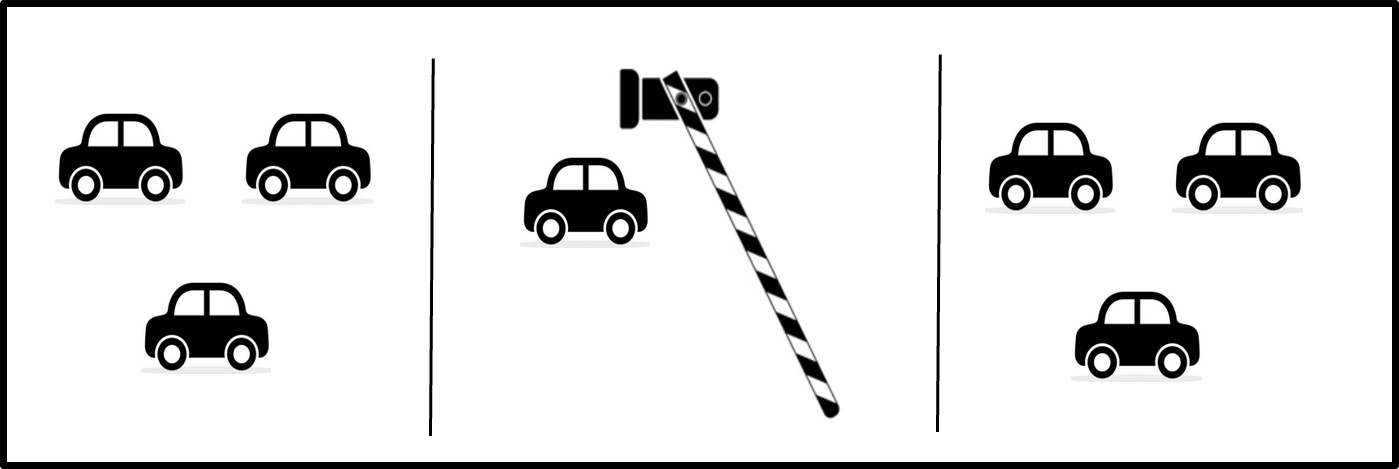

The electricity that runs your computer is needed to turn the transistors “on” or “off,” as well as to send the information. Most of the energy used by your computer, or big supercomputers, goes toward making these switches work. In fact, some supercomputers, like those used by Artificial Intelligence, use more electricity in one hour than your whole house uses in one day!
What if there was a way that your computer could transmit and save information without having to open and close the transistor? That would use a lot less energy. Right now, scientists are designing a new computer device called a memristor that does exactly that. Memristors work by changing the structure of the material itself to regulate the energy flow, much like putting speed bumps or a roundabout on a road can change the traffic flow without using a stop light.
To design a memristor, materials scientists must look at the structure of the material on a very small scale, investigating the placement of individual atoms in the metallic crystal structure. Fortunately, there are computer simulations that can help scientists predict which arrangements of atoms would be most likely to work. Once the best materials have been predicted, engineers can build and test those materials to see if they meet the design criteria.
Let’s get started!
Procedure
Background
Transistors are the building blocks of modern electronics (like your phone, computer, etc.). Transistors are made of semiconductor materials that regulate the flow of electricity in a circuit, thus allowing signaling of “1” or “0,” which computers interpret for computational processes. Most transistors have three components: a source, a drain, and a gate. When a small amount of electrical voltage is applied to the gate, the transistor sends a signal from the source to the drain (i.e., “1”). When the electrical voltage is removed from the gate, the transistor stops sending the signal “0.” Most of the electricity used by your computer is used to perform this “switching” of transistors.
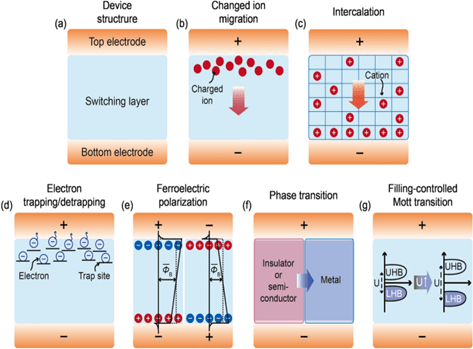
Memristors are newer electronic components that “remember” how much current has passed through them rather than needing to have a voltage applied to send a signal. The structure of the material at the atomic scale varies with the applied voltage across the memristor rather than needing a gate. A memristor can thus “remember” its past and regulate voltage accordingly. That makes memristors useful for non-volatile memory and neuromorphic (brain-inspired) computing.
Although almost all existing transistors are built of silicon-based materials, there are a variety of different elements that could be used in materials for nonvolatile resistive switching, the process that describes how memristors change their structure to “remember” the electrical flow. Materials scientists are actively working to identify the combinations and configurations of materials that have ideal properties for memristors.
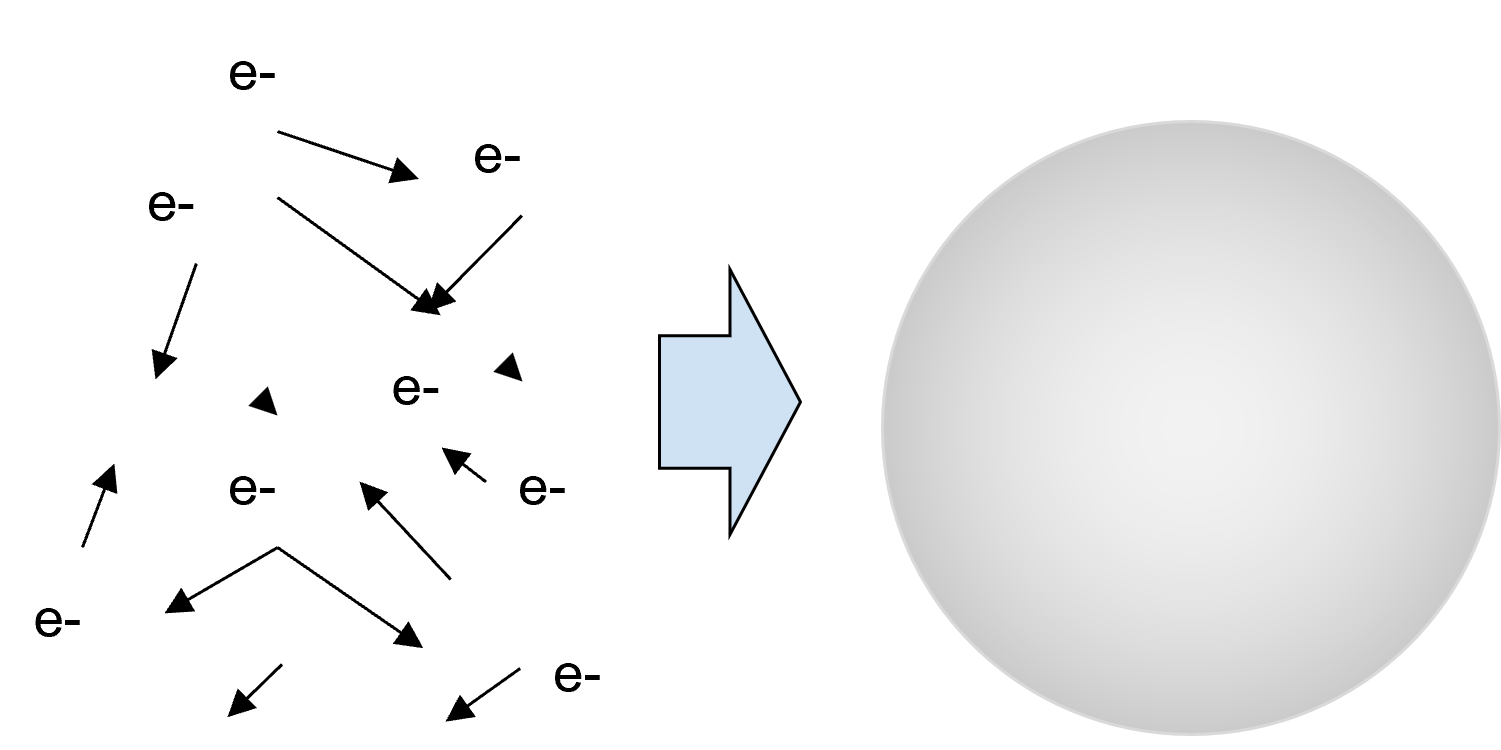
Memristors are very small, so their properties are investigated at the atomic level. Because there are so many different combinations of materials and configurations of atoms that could be used, physical testing would be cost- and time-prohibitive. Instead, materials scientists use computer simulations to predict the properties of different candidate materials based on the known characteristics of their constituent atoms.
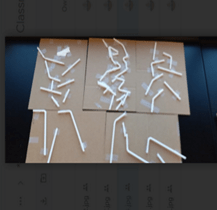
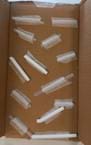
In this activity, students use the engineering design process to build a physical model of the atomic structure of a memristor using simple classroom materials. Students test the “properties” of their memristor by rolling a marble through their self-designed cardboard maze to measure the time for the marble to get to the bottom. The marble run time represents the desired current flow. Students iteratively redesign their maze, thus simulating finding the proper arrangement of atoms in the memristor lattice, until the marble reaches the bottom in the designated time. A sample memristor physical model is pictured in Image 1.
Materials scientists use a detailed computational model called density functional theory to predict the atomic scale behavior of materials. This theory requires intense computing power and so is not feasible to model in the classroom, but students can experience the iterative design process used to identify potential candidate materials by using a “too high” or “too low” feedback loop game. Advanced students can be challenged to write a computer code that uses feedback loops to create a value that meets criteria.
Before the Activity
- Set out model materials for student selection:
- Cardboard rectangles of varying sizes
- Assorted objects to use to simulate “atoms” in the “crystal structure” of the material (i.e., straws, bottle caps, pipe cleaners etc.)
- Scissors
- Tape (or hot glue)
- Set up 2-3 testing stations around the classroom. Each testing station should include the following:
- A stack of books or other support to make a ramp (all ramps should be same height)
- 1 timer
- Make copies of the KWL Chart and Design Guide (1 per student).
- Make copies of the Design Without Building Background Reading (for introductory computer technology students) and Designing for Next-Generation Technology Background Reading (for advanced computer science students) (1 per group for round-robin style reading).
- Determine the time for students to target for their marbles to travel down the ramp (see “During the activity” procedure below and fill in value for XX). This value should be determined by you based on classroom needs and available materials. It is highly suggested that you build an example to test and determine the time. (The authors suggest a time between 2 and 4 seconds and allow students +/- range of 0.5 seconds [or less] on each side.)
- Determine the amount of time you want to allocate for student design work (see “During the activity” procedure below and fill in value YY).
During the Activity
Introduction
- Place students in groups of 3 or 4.
- Introduce the activity. (See “Introduction/Motivation for Students” script above.)
- It can be helpful to assign group roles to ensure cooperative work. Suggested roles are:
- Collector: Obtain supplies from and return supplies to the designated areas.
- Recorder: Write down team ideas, make note of observations in team journal.
- Tester: Take measurements, encourage team members to share observations.
- Manager (in groups of 3, may be combined with Tester): Read instruction(s) as needed, keep team members on task.
- Review the engineering design process.
ASK: How can we act as materials scientists to model atomic scale designs for hardware for next-generation computers?
- Distribute the KWL Chart and Design Guide to student groups.
- Instruct the recorder to write down team ideas.
- Have students discuss what they Know and Want to know about materials science, memristors, computer hardware, and computational analysis.
RESEARCH PART 1: Read to learn
- Distribute copies of the Design without Building Background Reading (for introductory computer technology students) and/or Designing for Next-Generation Technology Background Reading (for advanced computer science students.) (NOTE: For students with accommodations, provide individual copies of reading.)
- Provide groups with the following instructions:
- The manager reads the information to the group and leads the discussion.
- The recorder takes notes.
- Give each group time to read the handout, take notes, and discuss.
- If time allows, students may perform additional research using internet resources.
RESEARCH PART 2: Simulation of Computational Analysis
- Say: “Now that we know a little more about what memristors are made of and how they work, let’s look more deeply into how a materials scientist might use a computer to predict which materials to use to build a memristor.”
- Open the Simulation Game Presentation for game instructions.
- Have students assign game roles within their groups (e.g., Keeper of Secret and Guessers).
- Follow instructions on the slide show to play the game.
- After 1 - 2 rounds of the game, pause students to discuss the questions and key takeaways below. (Also listed on last slide.)
- Discussion questions:
- How could you have made this process more efficient?
- How was this game similar to the way in which a scientist might try different combinations of materials to identify the best one?
- Why might a materials scientist use a computer simulation like this instead of building and testing combinations of materials using real physical objects?
- (For students with computer science background) What code segments or functions did this game remind you of?
- Key Takeaways:
- Iterative Refinement: This game highlights how refining your approach (in this case, guesses) based on feedback leads you closer to a solution.
- Feedback Loops: The feedback from the Keeper guides the Guessers to adjust their numbers systematically.
IMAGINE, PLAN, CREATE, TEST:
- Introduce computer models: “A computer model is one type of model that materials scientists can use to predict properties and how different combinations of materials will behave. Sometimes scientists use physical models.
- Ask: What are some examples of physical models you have seen before?” (Sample responses: globes, balls for atoms and molecules, a map)
- Introduce the challenge and the available classroom materials using the following script:
“Your challenge is to make a physical model of the atoms inside a memristor. You can use whatever objects you want to represent the atoms of different elements (show available classroom materials). Even though in real life atoms are held together in metals by attractive forces between nuclei and electrons, in our models we will need to have some type of base to hold the atoms in their proper locations.”
“Both transistors and memristors transmit data signals in computers. The advantage of a memristor is that it can transmit these signals more efficiently and without the need to switch on and off. In a real computer, the data signals are in the form of electrical energy. We cannot see electricity, so we are going to model the electricity by using a marble. The time it takes the marble to travel a certain distance will represent the signal passing through the memristor.”
“The arrangement of the atoms in the memristor is what determines how the signal passes through, so your model will need to arrange the “atoms” in a way that lets the “signal” (marble) through in a certain amount of time. For our models, your target time is XX seconds (you should determine this value before the activity based on classroom needs and available materials).
“Another advantage of memristors over transistors is that memristors can be packed together into a smaller space. When you build your memristor, you want to make the model as small as possible.”
“You will test your models by putting the model at a slant using this stack of books (indicate testing area). All of our models will be tested at the same angle. You will use the timer to measure the time between when you release your marble and when the marble reaches the bottom. There is always some variation when testing, so you should roll the marble three times for each test and take the average to find the most accurate time estimate.
“Remember, your goal is to have the marble take XX seconds.” (Before the activity, determine appropriate time based on classroom materials available.)
You will have YY minutes to design and build your model. You may test as many times as you want, changing the design to improve each time. At the end of YY minutes, we will all test to see whose model is the closest to meeting the requirements. (Determine the appropriate amount of time to allow students to work on design based on classroom schedule constraints.)
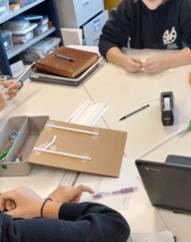
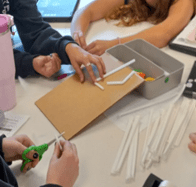
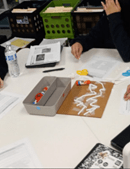
- Have students discuss as a group which materials they want to use and how the “atoms” will be arranged on their selected base. Provide the following guidance for the activity:
- The recorder draws the sketch(es) and labels materials in collaboration with the rest of the team.
- The manager shows you the plan for approval to get materials.
- The collector gets the materials and returns materials to the table.
- All team members work together to build models.
- The observer guides testing and observation once the team is ready.
- As groups plan, create, and test, circulate the room to encourage discussion, maintain safety, and monitor use of testing stations as the groups work.
- Remind students to document their designs on their KWL Chart and Design Guide. (Suggestion: If students have phones/cameras, encourage them to take pictures to reflect whether their sketched design matches their built model or not.)
- Once total build and test time has elapsed, have one final trial to determine the best model. (Suggestion: Give awards for “most creative use of materials,” “smallest,” etc.)
- Optional: Challenge students who achieve the desired time before the end of class to redesign for a different length of time.
REFLECT:
- Have each group complete the Learned portion of the KWL Chart and Design Guide.
- Distribute one Making Sense Assessment to each student.
- Give students time to individually reflect on their learning related to content and engineering design process using the Making Sense Assessment.
- Wrap up the activity with a class discussion using the following prompts (or have students complete an Exit Ticket):
Q1. What materials in your model helped marbles flow easily? Why?
Sample response: A1. Foil and straws, because they were smooth like conductors in real devices.
Q2. What does a marble getting stuck or slowed down represent in a real memristor?
Sample response: A2. It shows resistance, something blocking or slowing the flow of electrons.
Q3. How did the arrangement of the “atoms” in your model affect the time for the signal (marble)?
Sample response: A3: When there were more spaces, the marble could move faster.
Q4. Why do scientists test different materials when designing electronics like memristors?
Sample response: A4. Because different materials can make devices faster, smaller, or store memory better.
Q5. What did you change between your first and last design, and what was the result?
Sample response: A5. We replaced paper with foil, and the marbles moved faster through the maze.
Q6: Why might scientists use a computer simulation to model materials rather than building a physical model?
Sample response: A6. Physical models take a lot more time and can be more expensive.
Vocabulary/Definitions
atom: The smallest component of matter, made of smaller parts called protons, electrons, and neutrons.
iteration: Multiple attempts at reaching a goal, getting closer to the goal each time.
memristor: “Memory resistor,” a volatile electronic component that can alter how the signal is regulated by changing the crystal structure to vary resistance.
model: A scientific tool used to represent a phenomenon that cannot be easily perceived.
transistor: An electronic device that regulates signals by turning “on” or “off.”
Assessment
Pre-Activity Assessment
KWL Chart: Students fill out the K and W only of the KWL Chart and Design Guide.
Students fill out K (What I Know) and W (Want to know) such as the following table:
| Know | Want to know |
| Electricity flows through circuits | What is a memristor and how is it different from a transistor? |
| Materials can block or let electricity pass | How can materials influence electrical flow? |
| Marbles can model particles like electrons | Why do materials scientists use models instead of just testing actual physical objects? |
Activity Embedded (Formative) Assessment
Worksheet: Students complete the KWL Chart and Design Guide. The worksheet includes prompts for the following sections:
- Design Sketch: A drawing of their original memristor model.
- Prediction: What they think will happen when marbles are released.
- Material Notes: What materials helped or blocked the marble flow.
- Improvement Plan: Notes on what they plan to change in the next round, and why.
Teacher Observations: During the Imagine, Plan, Create, and Test portion of the activity, circulate to:
- Assess students’ understanding with the following checklist:
- Did the student/group attempt to model flow using marbles?
- Can the student/group explain how their model simulates memristor memory or changing resistance?
- Ask guiding questions:
Q1. Which material made the marbles move the fastest? Why do you think that happened?
A1. The foil made them go fast: It is smooth and slippery, like a good conductor.
Q2. What material slowed them down?
A2. The sponge: It made it hard for the marble to roll, like a resistor.
Q3. If this were a real electronic device, what would this slow spot mean?
A3. That part would have high resistance, maybe slowing the signal or blocking it.
Q4. How is this similar to what scientists do when testing materials?
A4. They try different materials and designs to find what works best for storing or moving energy.
- Encourages students/groups to revise and test multiple versions of their design (like real engineers).
Post-Activity (Summative) Assessment
Basic Level Assessment: Students fill in the “L” portion for what they LEARNED on the KWL Chart and Design Guide.
Exit Ticket Questions: Students complete the Exit Ticket, or wrap up the activity by leading a class discussion using the Exit Ticket questions.
Student Reflection: Students reflect on the engineering design process and applications of this activity to computer science by independently completing the Making Sense Assessment.
Troubleshooting Tips
Students may struggle to get the marble to stay on the memristor model maze. If so, remind them that they can fold up the sides of the maze to make a boundary to keep the marble in, or they can use components that have a greater height in order to provide a more significant barrier to marble motion.
This is an activity designed to model an iterative model refinement process, so it is natural for students to not achieve the desired result on the first try. Remind students that mistakes are part of learning and now they can use their experience to redesign and try again.
Potential Misconception: Students may confuse the modeling of atoms with the items on the maze with the actual flow of digital information, thinking that the straws or other obstacles are “off” signals (as in 1/0 in binary) instead of understanding that the items represent different elemental impurities in the atomic level design of the material.
Activity Scaling
- If this activity is used for computer science class with advanced students, after this physical activity, students can start implementation in coding (here we use python): Advanced Computational Activities
- To simplify for younger grades, you can omit the simulation game and only include the background reading (simplified version) on memristors and the hands-on modeling activity.
Subscribe
Get the inside scoop on all things Teach Engineering such as new site features, curriculum updates, video releases, and more by signing up for our newsletter!More Curriculum Like This

Students work as teams of engineers to design solutions to one of six real-world problems by creating functional logic gates. They learn how transistors serve as the fundamental hardware that allows computational logic to produce outcomes based on inputs, and apply this knowledge by building their o...

Students learn about the first attempts at machine learning and specifically about the perceptron model—a simplified model of a biological neuron.
References
Feng, C., Wu, W., Liu, H., Wang, J., Wan, H., Ma, G., & Wang. (2023). Emerging opportunities for 2d materials
in neuromorphic computing. Nanomaterials, 13(19). https://doi.org/10.3390/nano13192720
Kim, S., Hood, S. N., Park, J.-S., Whalley, L. D., & Walsh, A. (2020). Quick-start guide for first-principles
modeling of point defects in crystalline materials. Journal of Physics: Energy, 2(036001).
https://doi.org/10.1088/2515-7655/aba081
Lee, B. H., Fatheema, J., Akinwande, & Wang, W. (2025). Understanding and predicting trends in absorption
energetics on monolayer transition metal dichalcogenides.
Wang, W. (2025, February 11). Embrace your imperfections: Defects in materials for next-generation
computers. ACC Create. https://wangmaterialsgroup.com
Yan, Q., Kar, S., Chowdhury, S., & Bansil, A. (2024). The case for a defect genome initiative. Advanced
Materials, 36, 17. https://doi.org/10.1002/adma.202303098
Copyright
© 2026 by Regents of the University of Colorado; original © 2025 University of Texas at AustinContributors
Li Miao, Round Rock ISD; Ella Miesner, Austin ISDSupporting Program
Research Experience for Teachers (RET), University of Texas at AustinAcknowledgements
Research was performed in Wang Materials Group, University of Texas at Austin, under guidance of Brian Li.
This curriculum was developed under National Science Foundation through the Center for Dynamics and Control of Materials: an NSF MRSEC under Cooperative Agreement number DMR-2308817. Any opinions, findings, and conclusions or recommendations expressed in this material are those of the authors and do not necessarily reflect the views of the National Science Foundation.
Last modified: June 4, 2026
User Comments & Tips